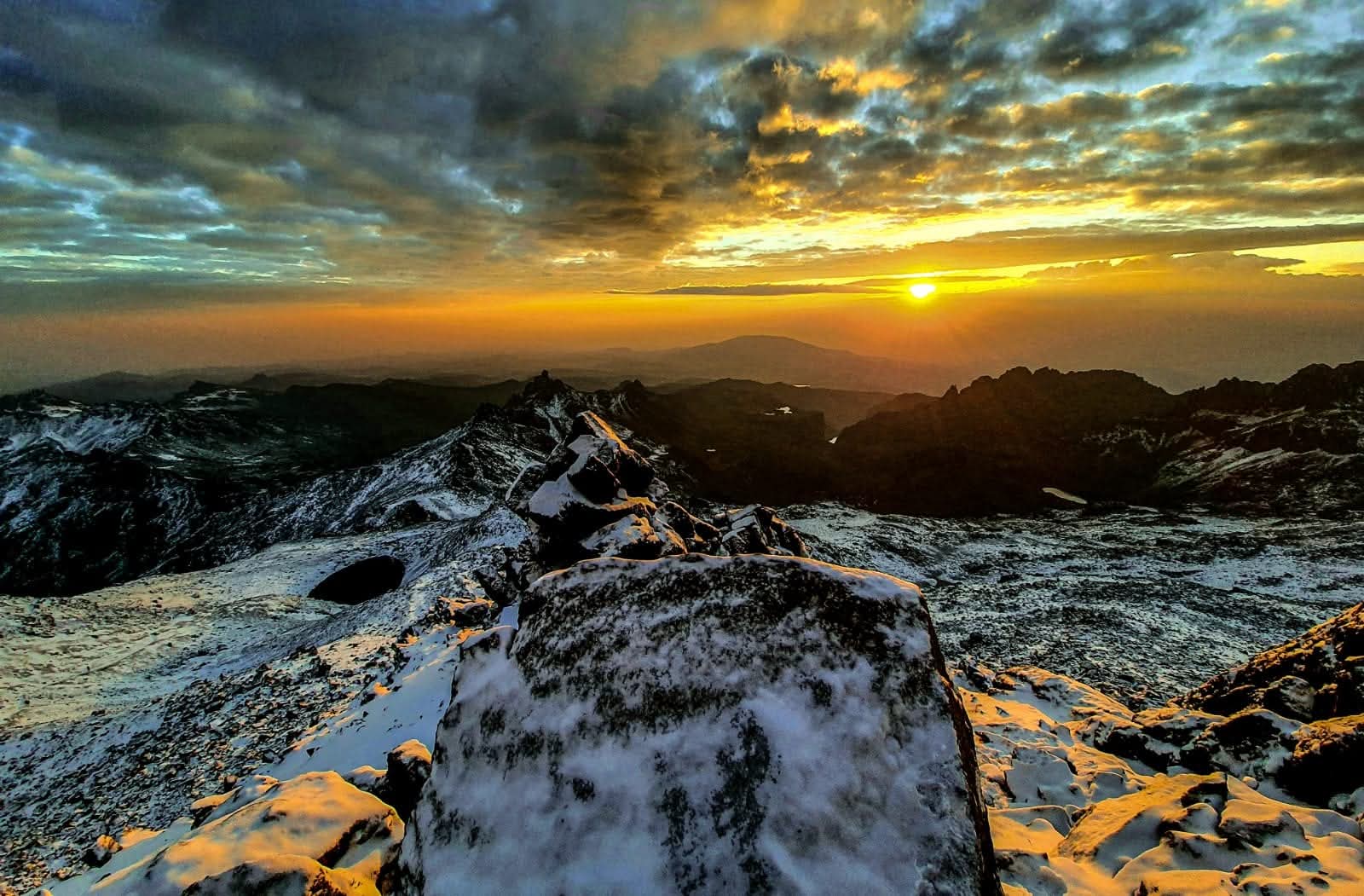
If you are planning to climb Mount Kilimanjaro, you may be wondering:
Will my phone work on Kilimanjaro?
Will I have internet at the camps?
Can I call my family from the mountain?
Can I use WhatsApp?
Will there be Wi-Fi at the summit?
The answer is yes, sometimes—but you should not expect continuous connectivity throughout the climb.
Mobile coverage on Kilimanjaro has improved considerably in recent years, and some climbers can get a signal surprisingly high on the mountain. However, reception depends on your location, altitude, route, network provider, weather, terrain and the position of nearby infrastructure. A signal at one camp does not guarantee a signal at the next camp.
The safest approach is to expect periods without service and prepare to be offline.
Is There Mobile Phone Coverage on Kilimanjaro?
Yes.
Mobile phone coverage is available on parts of Mount Kilimanjaro, particularly around the lower sections of the mountain.
You may be able to:
- Make phone calls
- Send SMS messages
- Use WhatsApp
- Send emails
- Browse the internet
- Upload photographs
- Receive messages from family
However, coverage becomes increasingly unpredictable as you gain altitude.
Recent connectivity information indicates that lower sections generally have better service, while reception becomes much more intermittent higher on the mountain.
How Good Is Internet on Kilimanjaro?
Mobile internet is not comparable to the internet you would have in Moshi, Arusha or at your hotel.
You may have usable mobile data at some locations, while a short distance away there may be no connection at all.
A practical expectation is:
| Area | Mobile Coverage | Internet |
|---|---|---|
| Moshi / Arusha | Excellent | Good |
| Park gates | Generally good | Usually available |
| Lower rainforest | Fair to good | Intermittent |
| Moorland | Variable | Slow/intermittent |
| Higher camps | Weak/variable | Often unavailable |
| Summit area | Highly variable | Do not rely on it |
Terrain and line-of-sight can make a significant difference.
Is There Wi-Fi on Mount Kilimanjaro?
This is where expectations need to be realistic.
Do not plan your Kilimanjaro trek assuming you will have Wi-Fi every evening.
Camping routes such as Machame, Lemosho, Rongai, Northern Circuit and Umbwe generally do not provide normal hotel-style Wi-Fi at every campsite.
Some connectivity infrastructure has been installed at specific locations on the mountain, including certain Marangu huts, and reports also indicate internet infrastructure extending to high-altitude locations. However, this is location-specific and should not be treated as continuous Wi-Fi coverage across the mountain.
Even where a connection exists, weather, equipment, power and network conditions can affect reliability.
Think of Wi-Fi as a bonus—not something you depend on.
Can You Use WhatsApp on Kilimanjaro?
Yes, when you have mobile data or Wi-Fi.
WhatsApp can be useful for:
- Sending messages home
- Making voice calls
- Sharing photos
- Sending your location when connected
- Checking in with family
- Communicating with other members of your group
However, WhatsApp cannot work without an internet connection.
If you reach a section with no mobile signal, messages will remain pending until your phone reconnects.
Can You Make Phone Calls on Kilimanjaro?
Sometimes.
You may be able to make normal cellular calls from lower sections of the mountain and from some camps.
As you climb higher, calls may become:
- Unreliable
- Interrupted
- Very weak
- Impossible
Do not assume that because you have one bar of signal you will be able to maintain a long conversation.
A short text message may succeed when a voice call does not.
Which Mobile Network Works Best on Kilimanjaro?
Tanzania has several mobile networks, including:
- Vodacom
- Airtel
- Yas
- Halotel
- TTCL
Coverage varies according to location.
Recent climbing guides commonly report Vodacom as one of the more useful options for Kilimanjaro, particularly on lower and some middle sections of the mountain, while Airtel can also work in certain areas. However, there is no network that should be considered guaranteed everywhere on Kilimanjaro.
This is important because coverage can change as network infrastructure develops.
Should You Buy a Tanzanian SIM Card?
If staying connected is important to you, a local Tanzanian SIM or compatible eSIM can be useful.
A local SIM may provide better access to Tanzanian networks than relying entirely on international roaming.
Before purchasing one, make sure:
- Your phone is unlocked
- Your phone supports the required network frequencies
- Your device supports eSIM if you plan to use one
- You have enough data
- The SIM is properly registered
- You know how to top up your account
Physical SIM registration in Tanzania requires identification, so international travelers should have their passport available.
Can You Use an eSIM on Kilimanjaro?
Potentially, yes.
eSIMs have become increasingly convenient for international travelers because you can purchase a Tanzania data plan before arriving.
However, an important point is often overlooked:
An eSIM does not create network coverage where none exists.
If the eSIM connects to a local network and that network has no signal at your location on Kilimanjaro, your eSIM will also have no data connection.
The quality of the connection therefore depends on both:
Your eSIM provider + the underlying Tanzanian network + your location on the mountain.
What Happens to Phone Signal as You Climb Higher?
There is no perfectly predictable signal map for every route.
Nevertheless, a useful general pattern is:
Below approximately 3,000 metres
You have a reasonable chance of finding mobile service in many areas.
Signal can be particularly good around trailheads and lower sections.
Around 3,000–4,000 metres
Coverage becomes much more inconsistent.
You may find a signal at one camp but nothing at another.
Above approximately 4,000 metres
You should increasingly expect periods without service.
The alpine environment, terrain and distance from terrestrial infrastructure make reliable connectivity much less predictable.
Summit area
Do not plan your summit attempt around having phone service.
Some reports indicate that connectivity can occasionally be available at very high elevations, while others report no service. This inconsistency is exactly why climbers should assume they may be offline during the summit push.
Can You Get Signal at Uhuru Peak?
Possibly—but never depend on it.
Uhuru Peak is at approximately 5,895 metres (19,341 feet).
There have been reports of connectivity at the summit following improvements to mountain telecommunications infrastructure. At the same time, other current guides report highly variable or absent service at the summit.
The practical lesson is simple:
You might be able to send a summit message—but you should not expect to.
If your phone connects, you may be able to:
- Send a WhatsApp message
- Make a short call
- Upload a photograph
- Send an email
- Share a social-media post
But connection can disappear quickly.
Can You Post on Instagram or Facebook From the Summit?
It is possible in some circumstances, but it is not guaranteed.
If your phone finds a usable data connection, you might be able to upload a photo.
However:
- Signal may be weak
- Data speeds may be slow
- Your battery may be very low
- Your phone may be affected by extreme cold
- The connection may disappear
- Several people may be trying to connect simultaneously
Therefore, don’t make a summit post an essential part of your itinerary.
Take the photo first. Post it when you have a reliable connection later.
How Should You Communicate With Family?
Before starting the climb, explain to family and friends that you may be unreachable for periods of time.
A simple communication plan can prevent unnecessary worry.
For example:
Before climbing:
“I’m starting the Kilimanjaro trek today. I may have limited phone service for several days.”
At camps with signal:
Send a short update.
During summit night:
Don’t promise that you will be reachable.
After descending:
Send a message when you have reliable service again.
This is particularly important for family members who expect daily communication.
Should You Depend on Your Phone for Emergencies?
No.
Your personal phone should not be considered your only emergency communication method.
Mobile coverage can disappear unexpectedly.
For emergencies, communication arrangements should be handled through the climbing team and appropriate emergency procedures.
Your phone can be a useful backup, but it should not be your sole safety system.
A current Kilimanjaro connectivity guide similarly advises climbers not to rely on their personal phone for emergencies.
Can GPS Work Without Internet?
Yes.
This is an important distinction.
Your phone’s GPS/GNSS positioning does not necessarily require mobile internet.
You can download offline maps before your trek and use your phone to record your location without having a cellular data connection.
Useful preparations include downloading:
- Offline maps
- Trekking routes
- Emergency information
- Accommodation details
- Important phone numbers
- Translation apps
- Entertainment
- Music
- Podcasts
- E-books
Do this before leaving Moshi or the park gate.
How Do You Save Phone Battery on Kilimanjaro?
Battery management is extremely important.
There is generally no convenient electrical outlet waiting for you at every campsite.
Bring a good-quality power bank.
A 10,000–20,000 mAh power bank can be useful for a multi-day trek, depending on your phone and how heavily you use it.
Use these battery-saving techniques:
- Turn on airplane mode when there is no signal
- Turn off Bluetooth when unnecessary
- Reduce screen brightness
- Disable unnecessary notifications
- Close apps running in the background
- Download maps before climbing
- Avoid constantly searching for signal
- Use battery-saving mode
- Keep your phone warm
Why Does Cold Weather Affect Your Phone?
Kilimanjaro’s summit environment can be extremely cold, particularly during the night.
Lithium-ion batteries can temporarily lose performance in very cold conditions.
You may notice:
- Battery percentage dropping quickly
- Phone shutting down unexpectedly
- Difficulty charging
- Slow performance
- Camera problems
This is why you should keep your phone inside an inner jacket pocket or another insulated location close to your body during cold sections and especially during summit night.
Do not leave your phone exposed to freezing conditions unnecessarily.
Can Power Banks Be Used on Kilimanjaro?
Yes, and a power bank is one of the most useful electronics to bring.
Consider carrying:
- 10,000–20,000 mAh power bank
- Appropriate charging cable
- Spare cable if possible
- Phone charging adapter
- Protective pouch
Keep the power bank protected from extreme cold as well.
If you use two devices, such as a phone and camera, consider your total battery requirements before the trek.
Is There Electricity on Kilimanjaro?
It depends on the route and location.
Camping routes generally do not provide the type of reliable electricity you would expect in a hotel.
Some permanent huts have electrical or charging infrastructure, but availability can be limited or unreliable.
Therefore:
Do not plan your trek around charging your phone every evening.
Arrive with your devices fully charged and carry sufficient backup power.
What Should You Download Before Climbing?
Before entering the mountain, download everything you may need.
Communication
- Important contacts
- Emergency numbers
Navigation
- Offline maps
- GPS route
- Offline location data
Entertainment
- Spotify playlists
- Podcasts
- Netflix downloads
- Audiobooks
- E-books
Travel documents
Keep offline copies of:
- Passport information
- Travel insurance
- Flight details
- Accommodation reservations
- Emergency contacts
You may not have internet when you need these documents.
Will My International SIM Work?
It may.
Many international mobile providers have roaming agreements in Tanzania.
However, roaming availability, pricing and network access depend entirely on your home provider.
Before traveling, check:
- Tanzania roaming coverage
- Data prices
- Call prices
- SMS prices
- Which Tanzanian networks are supported
- Whether data roaming must be activated
Do not assume that your normal phone plan will work at the same price as it does at home.
Should You Use Roaming, a Local SIM or an eSIM?
Each option has advantages.
| Option | Advantages | Disadvantages |
|---|---|---|
| International roaming | Easy; keep your number | Can be expensive |
| Local SIM | Local network access; often practical for calls/data | Requires registration and SIM change |
| eSIM | Convenient; can be installed before arrival | Depends on supported network and phone |
| No SIM/data | Cheapest; maximum digital disconnect | No personal mobile internet |
For most travelers, the decision comes down to cost, convenience and how important connectivity is.
Does the Route Affect Phone Coverage?
Yes.
Kilimanjaro has several routes, and the terrain and infrastructure differ.
You should not assume that because your friend had a signal on one route, you will have the same signal on another.
Coverage can be affected by:
- Route
- Camp location
- Mountain ridges
- Valleys
- Forest
- Elevation
- Weather
- Network provider
- Temporary infrastructure outages
Even on the same route, reception can change from one day to the next.
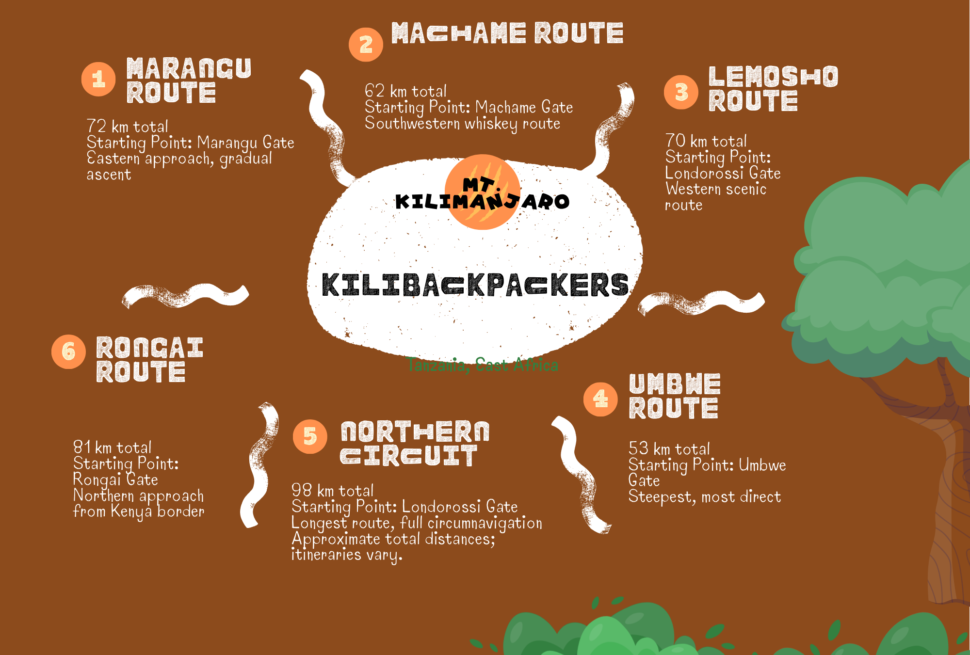
Kilimanjaro Phone Coverage by Popular Route
Machame Route
You may find mobile service around lower sections and some camps, but coverage becomes less reliable at higher elevations.
Lemosho Route
Lower sections can have connectivity, while higher sections become increasingly intermittent.
Marangu Route
Permanent huts provide more infrastructure than camping routes, and some hut locations have internet connectivity. However, you should still not assume continuous service throughout the route.
Rongai Route
Coverage varies by location and network provider. Do not rely on your phone as your primary communication system.
Northern Circuit
The route covers remote sections of the mountain, so periods without service should be expected.
Umbwe Route
Because of the route’s terrain and remote sections, connectivity should not be assumed.
What About Satellite Phones?
Satellite communication is different from normal mobile phone service.
A satellite phone or satellite communicator can communicate using satellite networks rather than nearby cellular towers.
This can be useful where terrestrial mobile coverage is unavailable.
However, satellite equipment is specialized and should be considered part of an overall emergency communication plan rather than something every climber necessarily needs to carry personally.
Can You Have a Digital Detox on Kilimanjaro?
Absolutely.
For many climbers, limited connectivity is actually part of the experience.
Instead of constantly checking:
- News
- Work messages
you can spend several days focusing on:
- The mountain
- Your hiking partners
- Nature
- Photography
- Conversation
- Rest
- The experience of climbing Kilimanjaro
You may find that being offline for several hours—or even a full day—is one of the most enjoyable parts of the trek.
10 Practical Phone Tips for Kilimanjaro
1. Charge everything before starting
Begin the trek with your phone and power bank fully charged.
2. Download everything offline
Don’t wait until you reach the mountain.
3. Use airplane mode
When there is no signal, your phone will constantly search for a network and consume battery.
4. Carry a power bank
A 10,000–20,000 mAh unit provides useful backup power.
5. Protect your phone from cold
Keep it close to your body in very cold conditions.
6. Don’t depend on Wi-Fi
Assume you will spend significant periods without internet.
7. Tell family about possible communication gaps
This prevents unnecessary concern.
8. Carry important information offline
Save insurance, emergency and travel documents to your phone.
9. Don’t depend on your phone for emergencies
Follow the emergency communication arrangements of your climbing team.
10. Enjoy being offline
Kilimanjaro is an opportunity to disconnect from everyday digital life.
Kilimanjaro Connectivity: What You Should Expect
The most realistic expectation is:
Connected at times, offline at times.
You may have strong mobile service at the lower mountain, intermittent coverage at some camps and little or no service during parts of the higher climb.
Some mountain infrastructure now provides internet at specific locations, but connectivity is not a continuous service along the entire trail.
Therefore, prepare as though you will be offline.
If you happen to find a strong signal, consider it a bonus.
Frequently Asked Questions
Is there mobile phone reception on Kilimanjaro?
Yes. Mobile reception is available in parts of Kilimanjaro, particularly at lower elevations, but it becomes increasingly inconsistent higher on the mountain.
Is there Wi-Fi on Kilimanjaro?
Wi-Fi and internet infrastructure exist at some specific mountain locations, but you should not expect continuous Wi-Fi throughout your trek.
Can I use WhatsApp on Kilimanjaro?
Yes, when your phone has mobile data or Wi-Fi. Without an internet connection, WhatsApp messages and calls will not work.
Can I call my family from Kilimanjaro?
You may be able to call from areas with sufficient cellular coverage, but there can be long periods without service.
Can I get internet at Uhuru Peak?
Connectivity has been reported at the summit, but access can be inconsistent. Do not plan your summit communication around having internet.
Which network is best on Kilimanjaro?
Vodacom is commonly reported as one of the stronger options for mountain coverage, with Airtel also useful in some areas. Coverage varies by location, so there is no guarantee that one network will work everywhere.
Should I buy a Tanzanian SIM?
If you want the best chance of accessing local mobile networks, a Tanzanian SIM can be useful. Make sure your phone is unlocked and follow local SIM registration requirements.
Do I need a power bank?
Yes, a power bank is strongly recommended because reliable charging cannot be assumed throughout the trek.
Will GPS work without internet?
Yes. Your phone can generally determine its GPS position without mobile data, although you should download maps and route information beforehand.
Can I charge my phone at Kilimanjaro camps?
Charging availability varies by route and location. Some permanent huts have charging infrastructure, but climbers on camping routes should carry their own power bank and not depend on campsite electricity.
Final Takeaway
Kilimanjaro is not completely disconnected from the outside world—but you should not expect normal mobile and internet coverage.
You may have:
Good signal → intermittent signal → no signal → occasional signal again.
The exact experience depends on your route, altitude, network provider, terrain and current infrastructure.
The best preparation is simple:
Buy an appropriate Tanzania SIM or eSIM if needed, download everything offline, carry a power bank, protect your phone from the cold, tell family that you may be unreachable, and never rely on your personal phone as your only emergency communication method.
Most importantly, don’t let the search for a signal distract you from the reason you are on the mountain in the first place.
Kilimanjaro is an adventure first—and a place to be connected second.
I’d recommend making this a cornerstone Kilimanjaro information page because it can internally link to your articles on altitude sickness, safety, route comparisons, packing lists, and emergency/evacuation.